
Introduction
Proper use of reflow soldering not only affects soldering quality but also directly impacts product yield and reliability. This article combines the official user manual for the NeoDen IN12C reflow oven to provide a comprehensive guide-from principles to practical application, and from setup to optimization-helping you master reflow soldering technology effortlessly while boosting production efficiency and product quality.
I. What is Reflow Oven? Why is it so important?
Reflow oven is a process that melts solder paste through heating, securely attaching surface-mount components to PCBs. Unlike traditional manual soldering, it enables high-density, high-precision, and high-volume automated soldering, forming the cornerstone of modern SMT manufacturing.
Mastering the correct operation of reflow ovens is critical-improper temperature profile settings can lead to solder balls, cold solder joints, component displacement, PCB warping, and other issues that severely impact product performance or even result in entire board scrap. Therefore, understanding its working principles and proficiently operating the equipment are essential skills for every SMT engineer.
The NeoDen IN12C, a high-performance reflow oven specifically designed for small-to-medium batch production and R&D, features 12 temperature zones (6 upper and 6 lower), an integrated fume filtration system, intelligent temperature control, and 4-channel board surface temperature monitoring. It precisely addresses the soldering demands of complex packages like 0201 micro-components, BGAs, and QFNs.

II. Scientific Principles of Reflow Soldering: Four-Zone Analysis
An ideal reflow process comprises four critical stages, each involving distinct physical and chemical actions:
1. Preheating Zone
Function: Gradually raises temperature to evaporate solvents and gases from solder paste, preventing "solder splatter" and solder ball formation.
Key Parameters: Heating rate should be controlled at approximately 1°C/sec (below 160°C). Excessive speed may cause PCB warping or ceramic capacitor cracking. Insufficient speed may lead to premature solder paste drying.
2. Active Zone
Function: Activates flux, removes oxides from pad and lead surfaces, and evens PCB and component temperatures.
Temperature Range: Typically 120–150°C. NeoDen IN12C maintains stable temperatures in this zone with its high-uniformity heating modules, preventing "slope-like" temperature profiles.
3. Reflow Zone
Function: Rapidly melts solder paste to form reliable intermetallic compound (IMC) joints.
Key Control: Peak temperature should exceed the solder paste melting point by 20–40°C. For example, with Sn63/Pb37 paste melting at 183°C, the peak temperature should be set to 205–220°C. Duration should be controlled between 10–60 seconds.
4. Cooling Zone
Function: Rapid solidification of liquid solder to form dense, lustrous joint structures.
NeoDen Advantage: Independent circulating air cooling design isolates external environmental interference and ensures uniform cooling after shutdown, effectively preventing PCB deformation from rapid cooling.
III. NeoDen IN12C Step-by-Step Operation Guide
Step 1: Installation and Power-Up
Power Requirements: Single-phase 220V AC. Use 4mm² or larger gauge wiring and ensure reliable grounding.
Safety Check: Before startup, confirm the emergency stop button is released and that the circuit breaker and RCD are functioning normally.
Step 2: Adjusting Track Width
Use the green buttons on the left (narrow) and right (widen) sides of the control panel.
Press and hold for 3 seconds to enter quick mode; short presses allow fine adjustments.
For anomalies, use the manual adjustment handle at the rear of the device for calibration.
Step 3: Set Core Parameters
Conveyor Speed: Recommended initial setting is 250–300 mm/min. Note: Speed changes directly affect the actual temperature curve and require re-calibration.
Temperature Zone Settings: Click the corresponding zone value to directly input the target temperature (e.g., Zone 1: 150°C, Zone 6: 240°C).
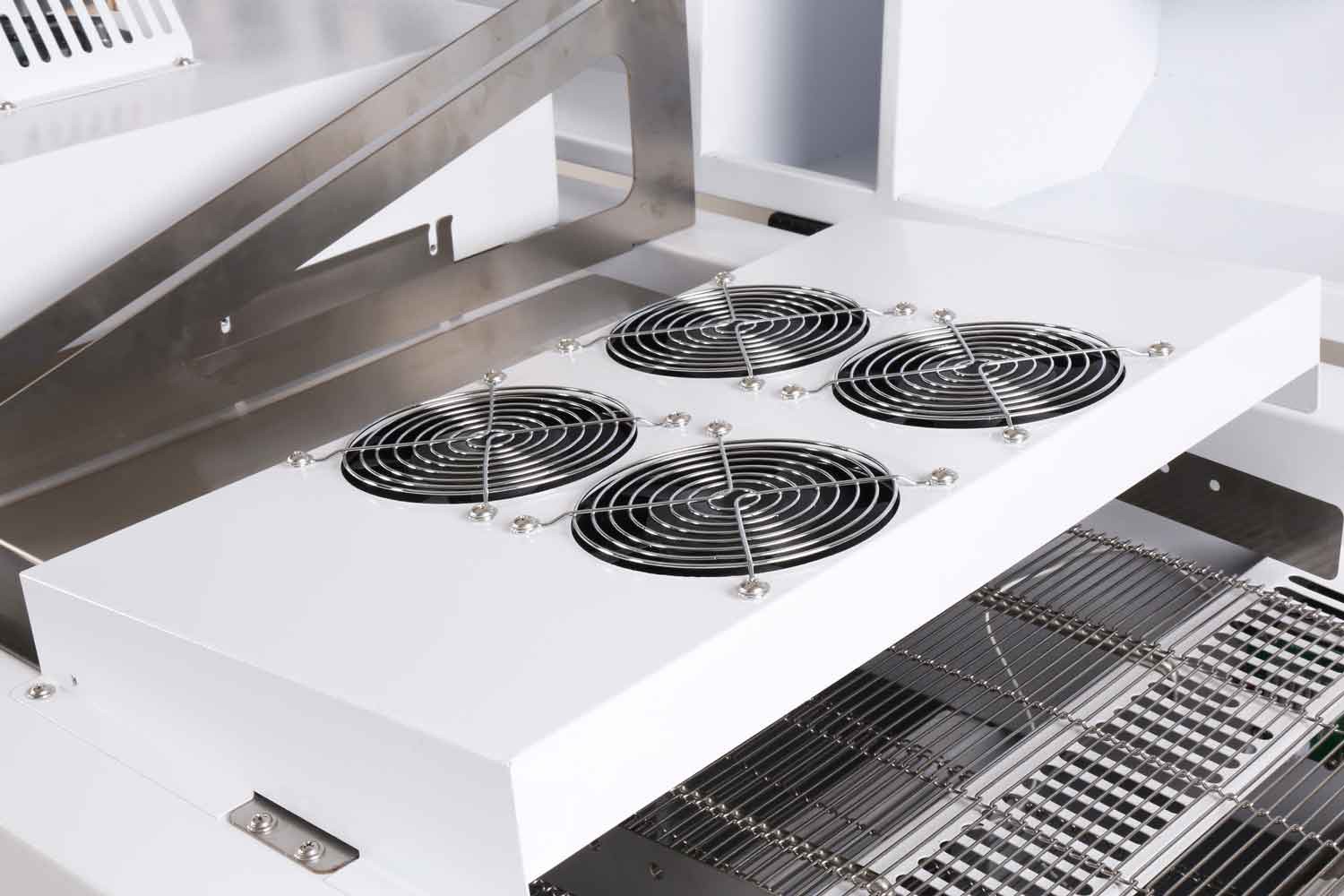
Fan Management: Enter the "Fan Control" interface to individually adjust the fan speed (default 100%) for HOT1–HOT6 and the COOL zone to optimize thermal convection.
Step 4: Utilize the Smart File Wizard
NeoDen IN12C features a built-in intelligent recipe generation system:
- Select solder paste type (e.g., lead-free SAC305, leaded Sn63, etc.).
- Enter PCB material (FR-4, aluminum substrate, etc.) and thickness.
- The system automatically generates a reference temperature profile and saves it as a working file.
- Tip: The device supports storing 40 soldering recipes for quick switching between different products.
Step 5: Confirming Ready Status
- Yellow light flashing: Heating up.
- Green light steady: All temperature zones have reached setpoints, ready for production.
- Red light steady/flashing: Equipment malfunction or shutdown, troubleshoot.
IV. Advanced Techniques: Achieving Perfect Soldering Results
1. Measure Actual PCB Surface Temperature Profile
The panel displays heating plate temperature, typically 20–40°C higher than actual PCB surface temperature. Therefore, verify the true profile using a thermometer:
- Secure a thermocouple near the PCB pad using high-temperature tape or thermal paste.
- Connect it to the SENSOR CONNECTOR on the device.
- Press "Start" in the "Temperature Curve" interface to automatically record data as the PCB enters the oven.
- Compare against the recommended curve provided by the solder paste manufacturer and fine-tune temperature zones or speed.
The NeoDen IN12C features 4 synchronous temperature measurement ports, enabling simultaneous monitoring of multiple critical points for more comprehensive data.
2. Quick Troubleshooting Guide
| Issue | Possible Cause | Solution |
| Incomplete soldering | Insufficient heating, shadow effect | Reduce line speed / Appropriately increase set temperature |
| Excessive solder balls | Rapid preheating, damp solder paste | Lower speed and preheat zone temperature / Use dry PCBs |
| PCB warping | Excessive top-bottom temperature difference | Reduce temperature differential between top and bottom zones / Increase line speed |
| Component Misalignment | Excessive airflow, uneven solder paste | Reduce airflow speed / Inspect solder paste printing quality |

Conclusion
The NeoDen IN12C is more than just a reflow oven-it's your intelligent partner for achieving high yield, high efficiency, and high reliability in SMT production. With ±0.5% temperature control accuracy, energy-saving low-power design (typical operating power only 2.2kW), and a smooth conveyor system optimized for micro-components, it effortlessly handles demands from prototype verification to small-batch production.
Follow this guide to set up your first temperature profile and accelerate debugging with the IN12C's intelligent wizard. For technical support or to explore SMT equipment solutions, contact the NeoDen team-we are dedicated to providing professional, reliable SMT equipment and services to electronics manufacturers worldwide.