

Introduction
As the first step in the SMT production line, the quality of solder paste printing directly determines the yield of the entire line-statistics show that over 60% of soldering defects originate from the printing process.
The NeoDen ND450 fully automatic solder paste printer was developed to provide the market with a compact, fully-featured, and highly cost-effective professional machine. However, even the most precise magnetic encoders and three-axis adjustment platforms will lose their precision advantages over time without proper daily maintenance.
This guide, in conjunction with the official ND450 user manual, will walk you through the five essential daily inspection tasks. Whether you are an electronics manufacturing entrepreneur at a startup or a procurement manager striving for maximum output efficiency, these recommendations will help ensure your equipment maintains precise printing performance.

Why is daily inspection of the NeoDen ND450 critical to your SMT production line?
We need to clarify a core concept: Preventative Maintenance.
Traditional maintenance often follows a "break-it-and-fix-it" approach, which comes at a very high cost in modern SMT production. A single mark point recognition failure can result in an entire batch of PCBs being scrapped, while a worn squeegee cylinder can cause bridging or missed prints.
The NeoDen ND450 integrates a high-precision magnetic scale and an electronically controlled squeegee system with 0.01mm resolution. These high-value components are extremely sensitive to environmental dust and oil residue. Adhering to daily inspections not only improves SMT printing accuracy but also significantly extends the equipment's service life and reduces the TCO.
Task 1: Cleaning the Vision System and Lenses
The ND450 employs a dual-camera system (top and bottom), which is central to achieving fully automatic alignment. If the camera lenses are contaminated with solder paste splatter or dust, the system will be unable to accurately identify the mark points, leading to frequent errors or printing misalignment.
Inspection Points
- Check the status of the 6 light sources: Observe whether the LED lights around the camera are bright and uniform. Dim lighting directly affects recognition contrast.
- Lens Cleaning: As required on page 27 of the user manual, use a lint-free cloth dampened with a small amount of anhydrous alcohol to wipe the lens.
- Parameter Verification: Access the "Edit File" interface in the software and check the Mark Point Search Area settings. If there are interfering points in the background, re-lock the features.

Task 2: Squeegee Head and Pressure Calibration
The ND450 is equipped with a professional electronically controlled air-suspension squeegee head. The consistency of solder paste thickness depends entirely on stable squeegee pressure. If the squeegee pressure is set incorrectly or the squeegee blade is deformed, issues such as "poor release" or "incomplete solder paste removal" may occur.
Inspection Points
- Squeegee Pressure Check: Observe the pressure adjustment value on the main interface. The ND450 offers 0.01 mm-level incremental adjustment to ensure uniform pressure distribution during printing.
- Cylinder Rebound Test: Manually jog the squeegee up and down to observe whether the squeegee cylinder moves smoothly and without any lag.
- Blade Wear Inspection: Check the edges of the stainless steel squeegee blade for physical notches or bending.

Task 3: Stencil Underside Cleaning Module Performance Check
The ND450 supports three cleaning modes: dry, wet, and vacuum. This is the most effective safeguard against "bridging" in SMT production. If the cleaning paper does not feed smoothly or the alcohol pump pressure is insufficient, solder paste residue on the underside of the stencil will quickly contaminate the next PCB.
Inspection Points:
- Cleaning paper supply: Ensure there is an adequate supply of cleaning paper to prevent empty cleaning cycles caused by running out of paper.
- Alcohol spray uniformity: Check the solvent lines for air bubbles or blockages. The ND450 is driven by a high-torque gear motor, listen for smooth operation.
- Vacuum Suction Verification: Observe whether the bottom of the steel mesh is dry after cleaning. If it is damp, check whether the vacuum pump filter needs cleaning.
Task 4: Air Pressure and Tubing Stability Monitoring
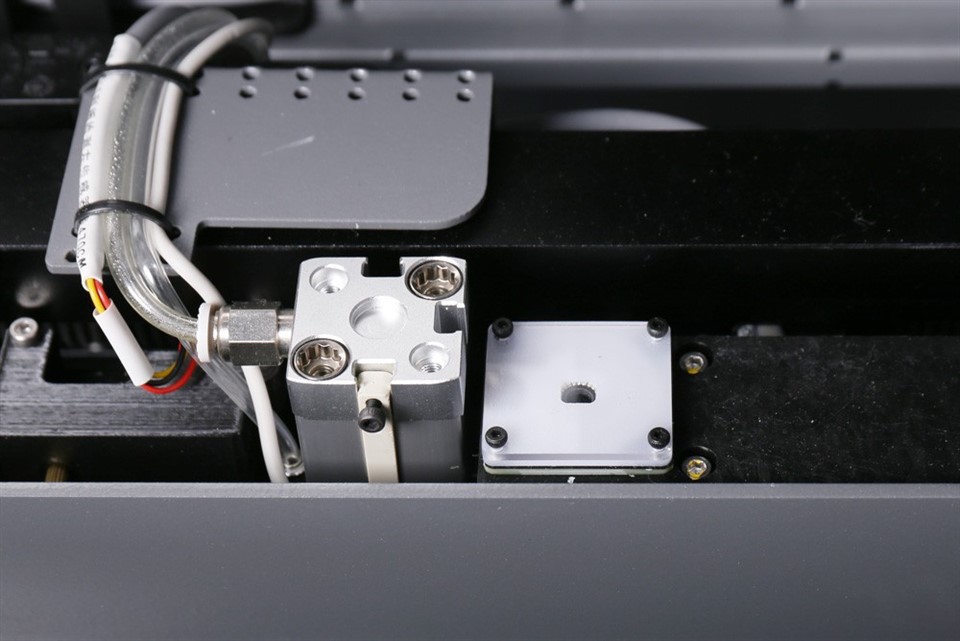
As a precision mechatronic device, many of the ND450's operations (such as PCB clamping and squeegee downward pressure) rely on the pneumatic system. Air pressure fluctuations are a hidden cause of printing instability.
Inspection Points:
- Main Air Pressure Gauge Reading: Verify that the inlet air pressure is stable within the equipment's required range (0.6–0.7 MPa).
- Air Line Connection Inspection: Listen for faint hissing sounds (indicating air leaks). Focus on checking the cylinder connections and air source treatment components mentioned in the manual.
- Condensate Drainage: Check the filter for accumulated water to prevent moisture from entering the solenoid valve and causing damage.

Task 5: Rail Transport and PCB Clamping System
The ND450's rail width adjustment and PCB clamping system ensure repeatable precision for every print. If the board entry into the rails is obstructed or the support pins are positioned in a way that causes interference, this can directly damage the PCB or stencil.
Inspection Points:
- Rail Width Verification: Place a PCB in the rails and check the sliding clearance. If too loose, alignment will fail, if too tight, the board may deform.
- Sensor Sensitivity: Check whether the board entry and exit sensors are covered with dust.
- Support Pin Inspection: Ensure support pins are securely installed and positioned away from components on the PCB bottom side to prevent "flexing" from affecting print flatness.
Operating Manual Tip: Refer to the "Troubleshooting" section of the manual. If "board entry failure" occurs, first check the track drive belt for foreign objects.
Conclusion
The NeoDen ND450 proves that a compact design and professional features can coexist. However, high cost-effectiveness does not mean maintenance standards can be compromised.
By performing the above 5 daily inspection tasks, you can:
- Increase production uptime by 15–20%.
- Reduce soldering defects caused by printing by over 80%.
- Protect expensive core components such as the magnetic scale and camera.
For every SMT engineer striving for excellence, the ND450 is a reliable partner. Give it 10 minutes of daily care, and it will reward you with 24 hours of stable output.

Frequently Asked Questions
Q1: Why does the ND450 fail to recognize mark points?
A: This is usually caused by a dirty lens, insufficient light intensity, or oxidation of the mark points on the PCB surface.
We recommend first cleaning the lens and using the "Relock" function within the software.
Q2: What is the optimal squeegee pressure setting for the ND450?
A: This should be fine-tuned based on the viscosity of the solder paste and the thickness of the stencil.
The general principle is to use the minimum pressure necessary to ensure the solder paste is completely "squeaked clean," thereby extending the stencil's lifespan.
Q3: Why isn't the cleaning module dispensing alcohol?
A: Please check whether the alcohol pump has drawn in air, or whether the alcohol tubing has dried out and become clogged due to prolonged disuse.