
SMT Defect List and SMT Troubleshooting (SMT / SMD Problem and Solution)
SMT (Surface Mount Technology), like other SMD Soldering and PCB assembly technology is not ZERO-Defect soldering process. There will always be some or the other defect in any Electronics PCB assembly in both Thru-Hole and SMT.
Here I will discuss some of the most common faults and causes of SMT defects and possible solution and troubleshooting.
Common Faults in SMT:
Solder balls
Solder beading
Bridging
Open- Insufficient
Tombstoning
Unmelted paste
Excessive filet
Slump
Dewetting
Disturb joint
Orange Skinning
Solder Balls – Possible cause:
Solder Paste smearing on underside of stencil.
What is squeegee pressure?
Is stencil underside cleaned with a solvent and is solvent still present after cleaning?
Is stencil proper aligned with PCB?
Solution to Solder Ball Problems:
Check squeegee pressure

Solder balls = numerous tiny solder balls trapped along the outside edge of the flux residue
Check for proper gasketting and alignment
Check if cleaning solvent is completely evaporated before printing
Oxidised paste – Possible cause
Was paste shipped refrigerated?
Did paste spend a long time in a hot area?
Was old paste returned to jar?

Solder balls = numerous tiny solder balls trapped along the outside edge of the flux residue
Was jar put back into refrigeration after opening?
Is alloy sensitive to oxidation?
Solution to Oxidised Solder Paste Problems:
Run fresh paste from a different lot under same conditions and see if solder bars go away.
Oxidised paste – Possible cause
Squeegee pressure too high
Paste gets squeezed out between stencil and board
Solution: Reduce squeegee pressure
Possible cause:
Drying out of paste after printing
What is specified tack time of paste?
Solution: Run a PCB with fresh paste and see if problem goes away
Possible cause:
Too slow ramp up in reflow profile
Solution: Run recommended profile and see if problem stays
Possible cause:
Too rapid ramp up in flow profile
Solution: Run a slower ramp up profile to give volatiles to evaporate
SOLDER BEADS – Possible cause:
Reflow profile ramp up slow

Solder beading : solder balls that are alongside a components
Capillary action draws unreflowed paste away from pad to somewhere under the component, it reflows there and form a bead of solder which comes out from under the component side.
Solution: Run a more rapid ramp up profile of 1.5 Degree Celsius to 2.5 Degree Celsius per second.
Possible cause:
Excessive amount of solder paste on component pads
What is stencil thickness?
Are apertures reduced?
Dispense time for a dot?
Solution:
Reduce aperture size of stencil or use thinner stencil
Use smaller needle and/or reduce purge time on dispenser
Possible cause: Paste smearing on underside of stencil
What is squeegee pressure?
Is stencil underside cleaned with a solvent and is solvent still present after cleaning?
Is stencil properly aligned with PCB?
Solution:
Check squeegee pressure
Check for proper gasketting and alignment
Check if cleaning solvent is completely evaporated before printing
BRIDGING – Possible Cause:
Cold slumping

Bridging = solder running from one component contact to another resulting in a short circuit
Is paste flowing apart after printing, height of deposit reduces and surface increases.
Solution:
Check viscosity of paste, too low viscosity may result in cold slumping
Check print speed, too rapid print speed may result in shearing of paste and degrading its thickness
Check temperature in printer, too high temperature brings viscosity down

Bridging = solder running from one component contact to another resulting in a short circuit
Possible Cause:
Hot slumping
Is paste flowing apart during ramp up part of reflow profile
Solution: Shorten duration of ramp up cycle in reflow profile
Possible Cause:
Paste smearing on underside of stencil
Paste can be outside pad area and form solder balls between two component leads resulting in a bridge
Solution – Reduce squeegee and check pcb-stencil alignment and gasketting
Possible Cause:
Excessive solder paste being deposited on the pads
While placing a component on the pads the paste is smeared out and may form a bridge to an adjacent pad
Remedy:
Reduce amount of solder paste
Increasing print speed may
Reduce stencil thickness
Open-insufficient – Possible cause:

Opens and insufficient = insufficient or no solder to make a complete bond between the lead and the pad
Scooping during printing
Excessive squeegee pressure on a polypropylene squeegee may cause scooping
Remedy: Reduce squeegee pressure or use a harder durometer type of squeegee or use a metal squeegee
Possible Cause: Blocking of stencil aperture with dried up paste
Remedy: Unblock apertures and clean stencil
Possible Cause:

Opens and insufficient = insufficient or no solder to make a complete bond between the lead and the pad
Foreign material on solder pad
Was solder mask printed on pad?
Remedy: Use another PCB
Possible Cause:
Too high squeegee speed
Paste cannot get into the apertures
Remedy: Reduce squeegee speed
Possible cause: Solder paste viscosity and/or metal content too low
Remedy: Check viscosity and metal content
TOMBSTONING

Tombstoning = chip type components standing up on one end after reflow caused by unequal forces on the components end
Possible cause: Unequal placement of components on pads prior to Reflow results in unbalanced solder forces.
Remedy: Check if placement equipment places properly.
Possible cause: Unequal heat sink i.e. ground planes inside PCB layers may draw heat away from pad.
Remedy: Increase soak time (plateau) or reflow profile so that all components are on.
UNMELTED PASTE – Possible cause:
To cold reflow profile
Solder paste cannot melt completely

Unmelted paste = paste shows characteristics of powder after reflow, joints are dull not shiny. May be on some components only
Remedy: Check reflow profile, make sure peak temperature and time above liquids (183C) are high enough and soak (plateau) is long enough.

Unmelted paste = paste shows characteristics of powder after reflow, joints are dull not shiny. May be on some components only
Excessive Fillet
Possible cause: Too much solder paste deposited on pads
Remedy:
If excess solder occurs on all components reduce overall stencil thickness or reduce dispenser purge time
If excess solder occurs on some places only reduce stencil thickness or dispense purge time for these components only

Excessive fillet = bulbous appearance of joint where outlines of the leads are obscured by the quantity of solder on them
Slump Cold Slump – Possible cause:
Viscosity of paste to low or metal content to low

Slump = deformation of paste deposit after printing or dispensing deposit height will reduce while surface expands
Remedy: Use different type of paste with higher viscosity or higher metal content
Possible cause: Paste came in contact with a cleaning solvent or other alien product
Remedy:
Make sure there are no solvents presents after cleaning the screen
Never try to revive the paste by adding some compound
Possible cause:

Slump = deformation of paste deposit after printing or dispensing deposit height will reduce while surface expands
Squeegee pressure to high
Paste is shearing due to excessive pressure applied to it thickeners in paste are destroyed
Remedy: Use new paste and reduce squeegee pressure
Possible cause: Temperature of paste is too high while printing or dispensing
Remedy:
Check temperature inside printer
Reduce pressure on squeegee
Reduce on pressure on syringe when dispensing
Hot Slump
Possible cause: Too slow ramp up in reflow profile
Remedy: Increase ramp up temperature, make sure to have a ramp up between 2 Degree Celsius to 3 Degree Celsius per second
DEWETTING – Possible cause:

Dewetting = bad attachment of molten solder to surface
Unwanted material on surface which prevents solder from attaching to surface, i.e. solder mask, fingerprints or oxides.
Remedy:
Clean boards first
Use different batch of boards
Possible cause:

Dewetting = bad attachment of molten solder to surface
Bad alloy in HAL process, i.e. too much Cu elevates melting point of HAL alloy
remedy:
Increase peak temperature in reflow
Use different batch of boards
Disturbed Joint Possible cause:
A source of vibration that is transmitted through the pcb during the liquids state of the reflow profile
Remedy:
Find and fix source of vibration
Adjust reflow

Disturbed Joint = dull, rough appearance of solder in an alloy that is normally bright and shiny
Orange skinning – Possible cause:

Orange skinning = dull, rough appearance of solder, joint texture is orange skin like
Too high in peak zone
Residue is burned or rosin was cooking
Remedy:
Lower peak zone temperature
Possible cause:
Too long exposure to temperatures between activation temp and reflow = (depending on alloy)
Remedy:

Orange skinning = dull, rough appearance of solder, joint texture is orange skin like
Shorten time in soak or lower soak temperatures
Possible cause:
Preheating too high
Remedy:
Lower preheat temperatures
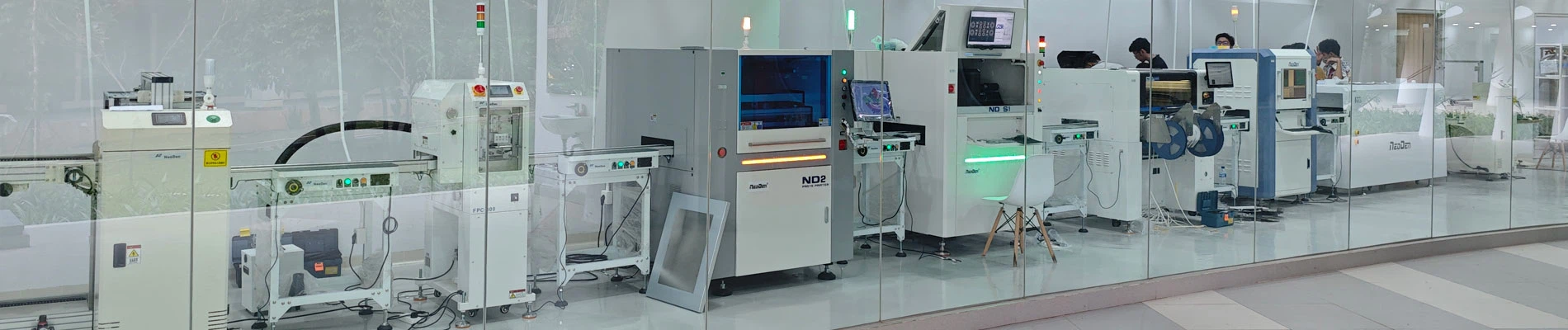
NeoDen provide a full smt assembly line solutions, including SMT reflow oven, wave soldering machine, pick and place machine, solder paste printer, PCB loader, PCB unloader, chip mounter, SMT AOI machine, SMT SPI machine, SMT X-Ray machine, SMT assembly line equipment, PCB production Equipment smt spare parts etc any kind SMT machines you may need, please contact us for more information:
Hangzhou NeoDen Technology Co.,Ltd
Add: Building 3,Diaoyu Industrial and Technology Park,No.8-2,Keji Avenue, Yuhang District, Hangzhou,China
Contact us: Steven Xiao
Phone: 86-18167133317
Fax: 86-571-26266866
Skype:toner_cartridge
E-mail: steven@neodentech.com
E-mail: info@neodentech.com